
This article shows you how to delete a budget. Owners and Org Admins can do this from Financials > Budgets.
Warning: Deleting a budget permanently removes it. A confirmation box checks before anything is deleted, and a deleted budget can't be recovered.
Steps
- Click Financials in the left nav, then click Budgets.
- Click Actions on the row of the budget you want to remove. The menu offers Summary, Edit, or Delete.
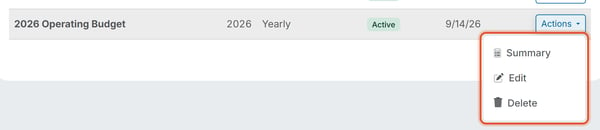
- Click Delete to permanently remove the budget, then respond to the confirmation box.
Good to Know
- To change a budget's amounts or account rows instead of removing it, use Edit from the same Actions menu. See How Do I Edit a Budget?.