
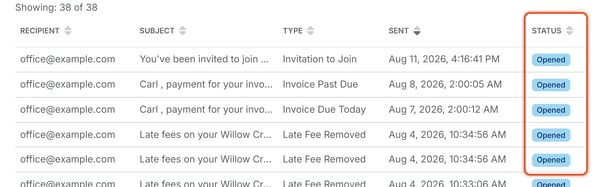
Each email listed in Message Center > Email History shows a Status. This shows where the email is in its delivery, as reported back by the email delivery system. You cannot change this value.
Status values
- Sent — the platform has handed the email off to be delivered, but delivery hasn't been confirmed yet.
- Delivered — the recipient's mail server accepted the email.
- Opened — the recipient has opened the email. A Delivered email can later flip to Opened once the recipient views it.
- Bounced — the recipient's mail server rejected the email outright, for example because of a mistyped or no-longer-valid email address.
- Spam Report — the recipient (or their mail provider) flagged the email as spam or junk.
- Unsubscribed — the recipient has opted out of receiving these emails.
- Suppressed — the platform did not attempt delivery, typically because that address previously bounced or was marked invalid.
- Failed — the send attempt failed for a reason other than a bounce, such as a technical delivery error.
If a member says they never received an email, checking the Status here is the fastest way to tell whether the problem was on the platform's end (Failed, Suppressed) or something about the recipient's own inbox or address (Bounced, Spam Report, Unsubscribed).
To find all emails with a particular Status, use the Filter menu (see Filter Email History by Type or Status). If an email shows Bounced, correct the member's email address (see How Do I Edit a Member's Name, Phone, or Email) and send again.