An Invoice Schedule is a template, not a single invoice. When you select more than one property under "Select Properties to charge," the system does not create one shared invoice split across those properties — it creates a completely separate invoice for each property selected, and each invoice is for the full Amount you entered.
Example
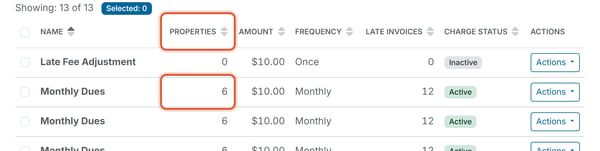
A "Once" schedule for $5.00 with two properties selected generates two invoices — one per property — each billed for $5.00, for a Total Invoiced of $10.00 across the two invoices. It does not generate one $2.50 invoice per property, and it does not generate one combined $10.00 invoice covering both properties. A Monthly schedule for $10.00 with six properties selected issues six invoices of $10.00 each month.
What This Means for the Properties Count
The Properties count shown on the Invoice Schedules list (for example, "2") tells you how many invoices that schedule will generate each time it issues — not how many properties share one invoice. If you see "Properties: 2" on a schedule row, expect two separate invoices, each for the full Amount.
Where to check the results
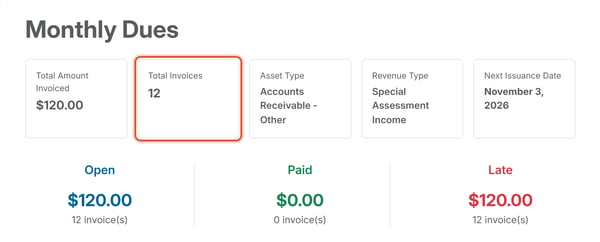
Clicking Actions > Summary on a schedule's row opens an Invoice Schedule Summary page showing Total Amount Invoiced, Total Invoices, and Open / Paid / Late breakdowns for everything that schedule has generated — this is the fastest way to confirm how many invoices a multi-property schedule actually produced. See How Do I View an Invoice Schedule's Summary? To set up a schedule, see Create a One-Time Invoice.