
Use Financials > Reports to set a Start date and End date on the Income Statement so it covers only the income and expenses from that period. Both Owners and Org Admins can do this. The Income Statement is view-only, so nothing you do here changes your books, and the report updates as soon as you change the dates.
About the Income Statement
The Income Statement (labeled "Profit and Loss Statement") covers Revenue and Expenses over a Start date / End date range you set, ending in a Net Income total. It is also called a Profit & Loss (P&L).
Steps
- Go to Financials > Reports.
- Click the Income Statement tab across the top. The description under the tabs reads "Income and expenses over a date range. Also called a Profit & Loss (P&L)."
- Choose a Start date and an End date to define the period.
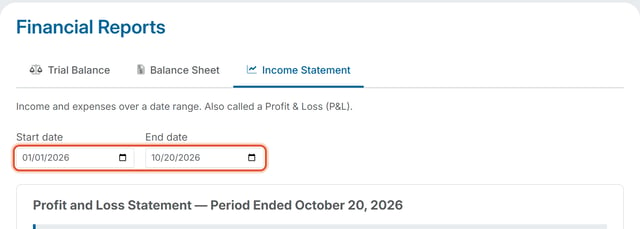
- The Income Statement recalculates to cover only income and expenses from that date range.
Good to Know
- The Income Statement uses a Start date and End date. To see what the organization owns and owes on a single date instead, use the Balance Sheet. See How Do I Change the Date on the Balance Sheet?
- To see how the Income Statement differs from the Balance Sheet, read What's the Difference Between a Balance Sheet and an Income Statement