
Use Financials > Reports to change the "As of date" on the Balance Sheet so it shows what your organization owns and owes on a different date. Both Owners and Org Admins can do this. The Balance Sheet is view-only, so nothing you do here changes your books, and the report updates as soon as you change the date.
About the Balance Sheet
The Balance Sheet (labeled "GAAP Balance Sheet") is a snapshot of what the organization owns (Assets) versus owes (Liabilities), plus Equity, as of a given "As of date." It includes an Accounting Identity panel (a bar chart of Assets vs. Liabilities + Equity) and an Equity Ratio under Key Ratios.
Steps
- Go to Financials > Reports.
- Click the Balance Sheet tab across the top. The description under the tabs reads "What your organization owns and owes as of a single date."
- Set the "As of date" field to the date you want.
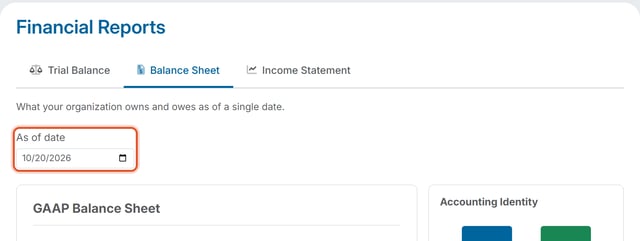
- The Balance Sheet recalculates to show the organization's position as of that date.
Good to Know
- The Balance Sheet uses a single "As of date." To report on a period of time instead, use the Income Statement. See How Do I Set a Date Range on the Income Statement?
- To see how the Balance Sheet differs from the Income Statement, read What's the Difference Between a Balance Sheet and an Income Statement