
Every expense in Financials > Expenses carries a Status badge so you can tell at a glance where it stands. There are three statuses.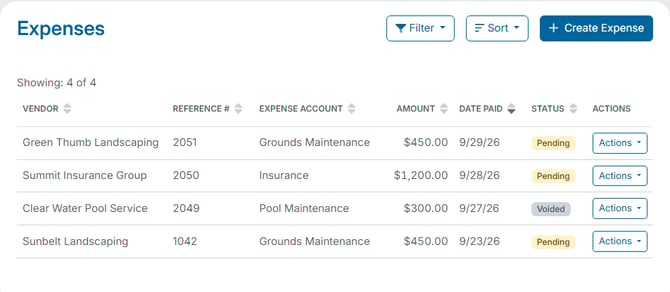
The three statuses
- Pending - the status every expense starts with when you record it with Create Expense.
- Cleared - the expense has been reconciled with a bank transaction. For example, when you create an expense from a bank transaction during Bank Reconciliation, it is marked Cleared.
- Voided - the expense was cancelled with Void. It stays in the list for your records, and its effect on your books is reversed.
What you can do with each status
- Pending and Cleared expenses have Edit and Void available in their Actions menu.
- Voided expenses have Edit and Void greyed out. To correct one, record a new expense.
See "How Do I Edit an Expense?" and "How Do I Void an Expense?" for the steps.
Filtering by status
Open Filter and choose a Status - Pending, Cleared, or Voided - then click Apply. For example, choose Voided to review everything that has been cancelled, or Cleared to see the expenses that have been reconciled with a bank transaction. See "How Do I Find a Specific Expense That Was Recorded?"