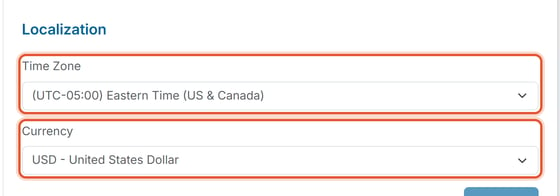
Time Zone and Currency control when invoices are issued/due and what currency members are billed in. Owners and Org Admins can change both at any time.
How to Get There
- Click Organization Settings in the left nav.
- Click the Settings tab, then choose General from the left-hand sub-navigation. The Localization section is stacked at the bottom of this same page.
- Choose a Time Zone and a Currency from the two dropdowns.
- Scroll to the bottom of the page and click Save.
What to Know
- Time Zone — defaults to Eastern Time (US & Canada). Set it to where the community is actually located, since it affects when invoices are issued and marked due. The Time Zone dropdown lists time zones from around the world, shown with their UTC offset.
- Currency — defaults to USD. Available options are limited to: BSD, CAD, KYD, CRC, DOP, MXN, GBP, and USD. There is no full international currency list, so organizations outside those regions cannot currently be billed in their local currency.