
The Member Directory lets other members of your organization look you up. If you would rather not be listed, you can hide yourself from your own profile settings. You can turn this back on at any time.
How to Get There
- Click your name in the top-right corner of the page, then choose My Profile.
- Under Active Memberships, click Actions on your organization's row, then choose Go to Member Profile.
- Click the Settings tab.
Hiding Yourself
The Settings tab has a Member Directory section with a toggle labeled "Include me in the member directory."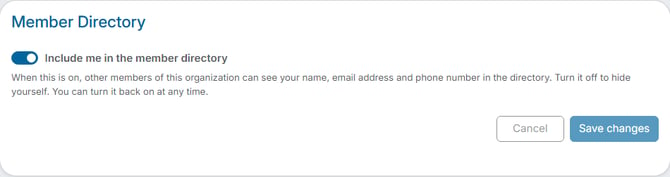
- Turn the "Include me in the member directory" toggle off.
- Click Save changes.
Once it's saved, your card no longer appears when other members open or search the Member Directory. To be listed again, turn the toggle back on and click Save changes. Click Cancel if you change your mind before saving.
What Other Members Can See
When the toggle is on, other members of your organization can see your name, email address, and phone number in the directory. When it's off, none of that is shown there.
Example
You would rather not have your email address visible to neighbors you haven't met. Follow the steps above and turn the toggle off. You can still use your account the same way as before — only the directory listing changes.
Note: This setting only controls whether you are listed in the Member Directory. It does not change your account, your invoices, or the emails you receive from your organization.