
Updating the billing contact: On the Contacts tab, click Add / Edit, choose Billing as the contact type, update the name, email address or phone number, and click Save.
Organization Settings > Contacts stores the people HOA Start (and, where relevant, third parties) should reach out to for specific topics — separate from the organization's Members list, which is for residents/owners, not administrative contacts. Owners and Org Admins can add, edit, and remove contacts on the Contacts tab.
When would you use this?
- Naming a "Website Administrator" contact so HOA Start knows who to reach about the organization's online account or portal, separate from billing questions.
- Adding a dedicated Billing contact so invoicing and payment questions go to the treasurer instead of the general Website Administrator contact.
- Updating a contact's email or phone number after that person changes roles on the board.
Steps
- Click Organization Settings in the left nav.
- Click the Contacts tab.
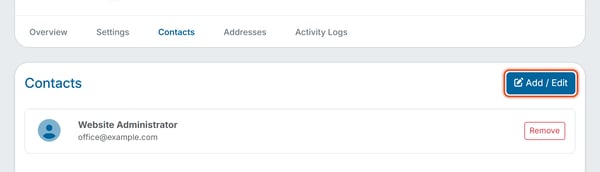
- Click Add / Edit.
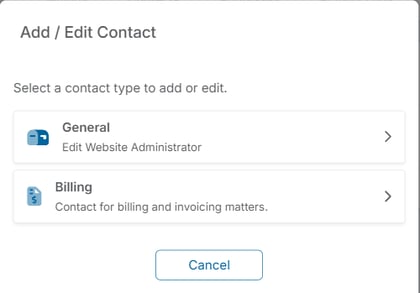
- Select a contact type: General ("Primary contact for the organization.") or Billing ("Contact for billing and invoicing matters."). If a contact of that type is already on file, the row shows that contact's name and opens it for editing; if not, a blank form opens.
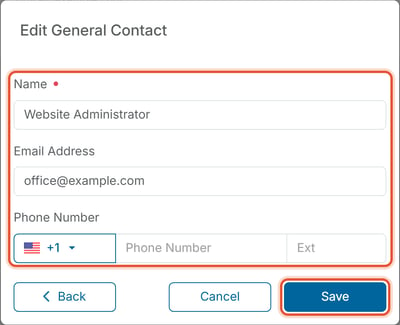
- Fill in Name (marked required), Email Address and Phone Number. Phone Number has a country-code selector (+1 is selected first) and an Ext box for an extension.
- Click Save.
Removing a Contact
On the Contacts tab, each existing contact's row has a Remove button. Click it to delete that contact.